
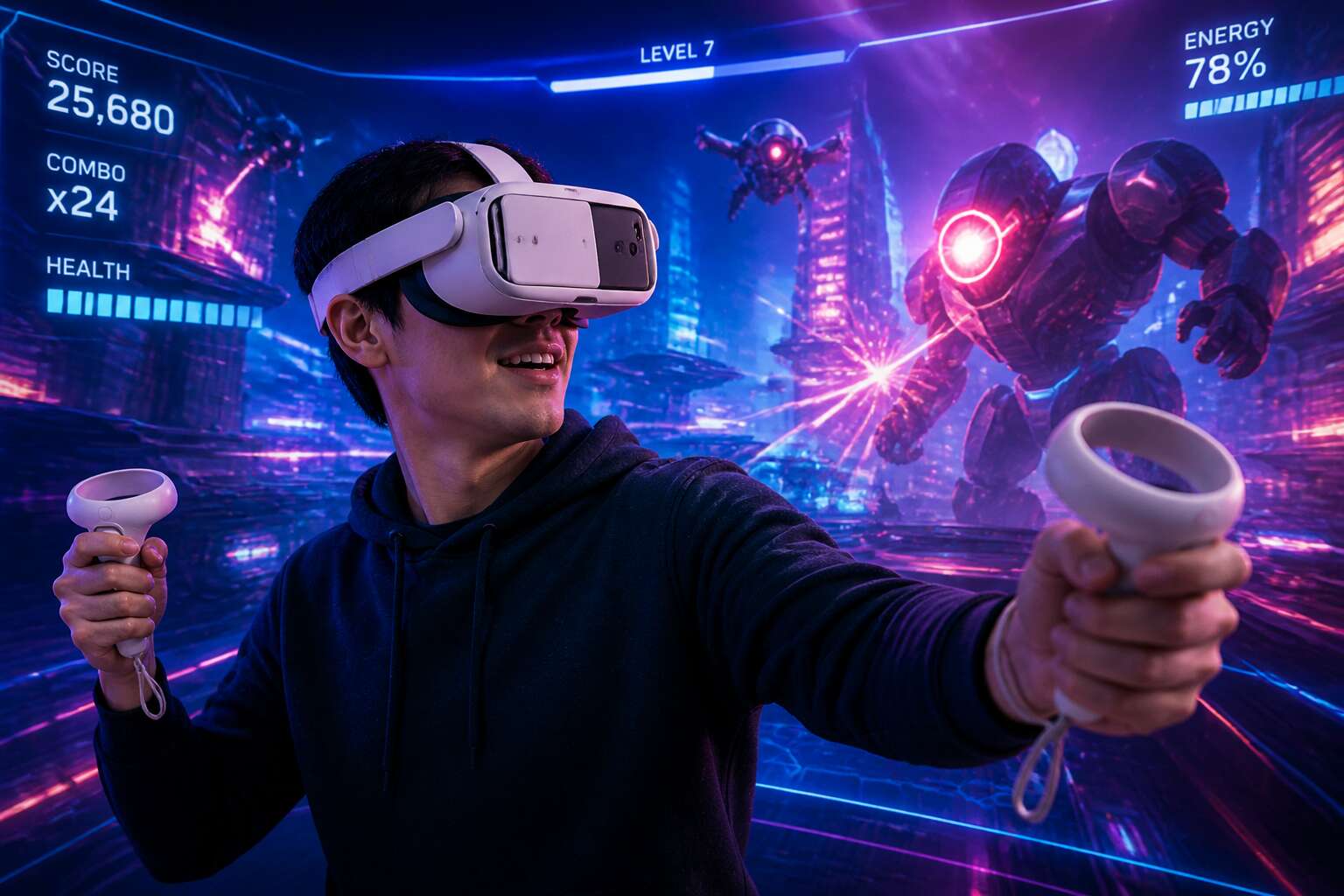
Selecting the Ideal Phone-Based VR Headset
Understanding Cardboard, Plastic, and Standalone Mounts
Choosing a phone-based VR headset requires confronting your own expectations. The cardboard viewer, a common giveaway item, promises immersion but delivers ninety wobbly seconds before collapsing. Plastic mounts offer a more stable grip on your device, yet lens quality and comfort vary wildly between brands. Standalone mounts, the premium option, bring adjustable lenses and proper foam padding.
The finest vr headset games for phone demand hardware that disappears from awareness. A loose cradle turns every action scene into a blurry squint. A balanced fit, however, allows you to focus entirely on the game.
The distinctions matter more than the price tag:
- Cardboard: affordable, disposable, suitable for one curious evening.
- Plastic: durable, modest weight, prone to lens fog.
- Standalone: adjustable, cushioned, worth the extra rand.
Checking Smartphone Size and Sensor Compatibility
A loose phone ruins every session. I have watched a flagship handset with a high refresh rate display deliver smoother vr headset games for phone than an older budget model, but only if the headset fits it properly. Check your device dimensions against the cradle width before buying, since an ill fitting clamp can trigger the proximity sensor and black out the screen mid session.
Sensor compatibility matters just as much. Many headsets rely on the phone’s gyroscope and accelerometer for tracking. If your phone lacks a decent IMU, the experience turns nauseating! Verify that the USB port remains accessible, because these games demand frequent charging.
- Measure the phone against the cradle.
- Confirm the headset’s maximum device thickness.
- Check the lens adjustment range.
Some headsets include a foam spacer for thicker phones. Use it, because focal distance changes with phone depth. Without it, the image renders blurry. For the best vr headset games for phone, fit matters.
Evaluating Lens Quality and Field of View
Every pixel your phone renders passes through the lens before your eyes perceive it. A cheap plastic lens distorts edges and turns sharp textures into smeared visuals. The ideal phone based VR headset uses glass or acrylic elements with anti reflective coatings. These preserve the pixel density of your device. Field of view matters as well. A wider perspective surrounds you more fully, though excessive width creates a tunnel effect.
Lens separation controls interpupillary distance. Fixed spacing causes eye strain for users with wider or narrower faces. Adjustable focal distance spares you from headaches during prolonged vr headset games for phone sessions. Housing design determines light leakage. A snug cradle keeps ambient light away from your eyes.
Top-Rated Mobile VR Games to Play Right Now
Immersive Puzzle and Escape Room Adventures
Most people abandon mobile VR after one dizzy session, but escape room puzzles change that. Searching for vr headset games for phone, I found the puzzle genre uses your headset’s motion tracking with real purpose. Lean around a corner to spot a hidden lever, or crouch to inspect a drawer. That physicality is what makes these games stick.
- Esper 2 for laser puzzles
- Escape Room: The Basement for hidden clues
- Keep Talking for shared play
My top pick stays “Esper 2.” It turns your phone into a telekinetic tool, demanding you rotate your whole body to solve each room. If you want a challenge that respects your time, these vr headset games for phone deliver hours of pure problem solving.
Action-Packed Shooters and Space Combat
Guns in mobile VR demand a strange kind of courage. You are not tapping a screen; you are physically ducking behind a crate while a robot fires plasma bolts at your head. Action shooters for vr headset games for phone reward reflexes, not patience. Titles like Space Shooter and Gunner’s Run place you in cockpits where your head movements control targeting reticles. Twisting your neck to track an enemy fighter feels natural, until you knock over your coffee.
- You lean to dodge incoming fire
- You pivot to track hostile drones
- You crouch to reload behind barriers
Space combat titles lean on your phone’s gyroscope. Bank left, and your ship banks left. The immersion is startling. These vr headset games for phone fill your lounge with enemy fighters and your couch with bullet holes.
Horror and Thriller Experiences for Adrenaline Junkies
Your heartbeat is the only sound in the dark hallway. A floorboard creaks. You turn, and nothing is there. That is the singular power of horror in vr headset games for phone. The screen strapped to your face removes the distance between you and the terror. You are not watching a character flee. You are the one who hears the breathing.
Thriller experiences exploit your phone’s gyroscope and proximity. Lean in to inspect a clue, and the monster notices you. Hold still, and the silence stretches. Titles like Dead Secret and Sister push this intimacy hard.
- Shadows that move when you do not
- Whispers that come from behind your chair
- Doors that open by themselves
The best vr headset games for phone in this genre build dread through slow pacing, not jump scares alone. Trust me, you will hold your breath. That is the point!
Relaxing Exploration and Simulation Games
After the screams fade, a quieter side appears. The best vr headset games for phone in the relaxing category let you slow down and breathe. You can row a boat across a calm lake or watch clouds roll over Table Mountain. No timers, no enemies, just observation.
Simulation games deepen this escape. You might run a small coffee stall in a virtual market or restore old photographs in a dusty studio. These titles use your phone’s sensors gently, so you can sit back and enjoy the detail.
Some experiences worth your data:
- Walking through a neon-lit aquarium at your own pace
- Flying a glider over the Drakensberg without any mission
- Building a cosy campsite and watching the stars shift
These quiet worlds prove that vr headset games for phone offer a place to reset, using the same technology that once made your heart race.
Social and Multiplayer VR Party Games
Pass the headset and the room changes. One person enters the virtual world, the other four shout directions from the sofa. This is where vr headset games for phone become a social event. The phone screen shows everything, so no one is left out.
Local multiplayer works because it creates a simple split. The player in the headset has the experience, the others have the context. A game may ask the player to stack crates while friends point out which ones are safe. Expect frustration and laughter.
Some of the best party formats include:
- Co-op missions where one player sees the layout and the other holds the map
- Turn-based challenges where each player tries to beat the previous score
- Games that force you to switch seats every sixty seconds
The technology matters less than the company. The memory is the friend who gave the wrong instruction on purpose. These vr headset games for phone deliver simple fun for a Friday night.
Preparing Your Smartphone for High-Performance VR Gaming
Updating Firmware and Graphics Drivers
A sluggish phone ruins a good VR session before it starts. Updating your device’s firmware and graphics drivers is the first step to keep vr headset games for phone running smoothly. Manufacturers release patches that fix thermal throttling and GPU memory leaks, which directly affect frame rates.
Check your phone’s system settings for pending updates. Graphics drivers often arrive through the operating system, so enable automatic updates. For older Android models, visit the manufacturer’s support page. Some phones require manual driver installation.
- Back up your data before major updates
- Connect to Wi-Fi to avoid data charges
- Restart your phone after installing
Ignoring these updates causes stutter and overheating. A fresh driver can double your phone’s VR performance without extra hardware.
Calibrating Gyroscope and Motion Sensors
A drifting horizon will ruin vr headset games for phone faster than any lag. Your phone’s gyroscope tracks every tilt and turn. When it drifts out of alignment, the virtual world swims around you. I have watched players blame the headset when the real culprit was a sensor that needed recalibration.
Here is a method that works on most modern phones:
- Lay your phone face up on a completely flat surface.
- Open the hidden sensor calibration menu in your settings.
- Rotate the device in a slow figure eight.
- Watch the on screen readings settle to near zero.
Most phones store this tool under ‘Motion’ or ‘Accessibility’. A stable gyroscope keeps vr headset games for phone responsive and reduces nausea. Spend three minutes calibrating before every session.
Managing Storage Space for Large Game Files
High end vr headset games for phone demand more storage than most users expect. A single title can consume over 2 GB, leaving little room for system files and sensor data. You need a deliberate approach to storage before every session.
Consider these habits:
- Keep only two installed titles at a time.
- Use a microSD card rated for fast read speeds, if your device supports it.
- Archive gameplay recordings to cloud storage weekly.
A cluttered drive causes loading stutters that break presence. Treat storage as a limited resource. Prioritise breathing room for the game files that matter.
Adjusting Display Settings for Reduced Motion Sickness
Screen settings decide whether you feel immersed or nauseous. Set brightness to maximum and disable auto brightness. Auto brightness shifts can cause your brain to perceive false motion. That mismatch triggers nausea faster than any game mechanic.
Refresh rate matters more than resolution for comfort. If your phone supports 90Hz or 120Hz, enable it. A higher refresh rate reduces judder during fast head movements. Most vr headset games for phone render at lower frame rates, so the display must compensate. Without this adjustment, even the best vr headset games for phone feel laggy.
Adjust these settings before launching any title:
- Disable screen timeout or set it to 10 minutes or longer.
- Turn off notifications to prevent brightness popups.
- Lower motion blur and reduce blue light filters.
Each setting affects the latency between your movement and what you see. Clean your screen before mounting the phone. Fingerprint smudges create glare that worsens motion sickness.
Comparing Free Trials, Freemium, and Paid VR Titles
Where to Find Quality Free Demos
Most people assume every quality VR experience comes with a price tag, yet the truth is more nuanced! In my time testing mobile VR, I have found that free trials and freemium models offer surprising value, especially when you compare them against paid titles. The challenge lies in knowing where to look, not in the quality of what is available.
For vr headset games for phone, the demo ecosystem has grown considerably. Independent developers often release short proof-of-concept levels, while established studios provide time-limited full versions. A good starting point includes these sources:
- Official app stores with curated trial sections
- Developer websites offering sideloadable APK demos
- VR community forums where users share discount codes
Paid titles still hold the crown for polish and depth, but freemium games can be surprisingly robust if you tolerate occasional ads. The right choice depends on your patience and budget, and the demo route helps you decide without spending a cent.
Understanding In-App Purchases and Ads
A free demo never costs a cent, yet it decides where your next rand goes. In my time comparing vr headset games for phone, I have learned that price tags tell you little about longevity. Some paid titles feel hollow after an hour, while freemium games hide their best content behind in-app purchases.
Free trials let you experience the real product directly. Freemium mixes in-app purchases and ads, so you must judge whether the friction is worth the price of zero. Paid games deliver full immersion without interruption.
- Trials show the core gameplay loop
- Freemium tests your tolerance for ads
- Paid games reward commitment with depth
Unlocking Full Experiences with Premium Picks
Three hundred rand says you have downloaded a free mobile game, only to uninstall it within ten minutes. That is not a coincidence. It is a business model. For vr headset games for phone, the same psychology applies, but the stakes feel higher because you are wearing a plastic helmet in your lounge.
The free trial is the most honest approach. It offers a slice of the gameplay, usually the first few levels or a timed session, without asking for your banking details. You get to feel the motion controls, judge the visual clarity, and decide if your stomach can handle the rolling horizon. Trials show the core gameplay loop, and they respect your time.
Freemium is a different beast. It tests your tolerance for interruptions, and often your patience. You will sit through a fifteen second advert to save your progress, only to face another one thirty seconds later. The game itself might be excellent, but the constant nagging feels like a taxi driver taking the long route because he knows you are late. Some freemium titles hide their best content behind in-app purchases, and you will need to judge if the friction is worth the price of zero.
Paid games reward commitment with depth. You pay once, and the developers do not treat you like an ATM. The immersion stays intact, no pop ups, no video ads, just pure virtual reality.
– Free trials let you sample the mechanics.
– Freemium tests your ad tolerance.
– Paid titles offer full immersion without interruption.
When you shop for vr headset games for phone, consider what your time is worth. The paid option often saves you from a headache.
Maximizing Comfort and Immersion During Extended Play Sessions
Using Head Strap Adjustments for Weight Distribution
Extended play sessions with vr headset games for phone often end when the weight settles into your temples, not when the story loses its grip. A loose strap turns every sudden turn into a wobble. A tight one leaves a throbbing line across your forehead. The goal is even distribution.
Adjust the top strap first, as it carries most of the phone’s mass. Then move to the side straps. They should press evenly around the skull, never pinching one ear. I find a slight upward tilt shifts weight off the cheekbones.
For a quick reference:
- Top strap: slide it forward to pull mass off the neck.
- Side straps: tighten both to the same notch.
- Rear cradle: lower it toward the occipital bone.
Test with a slow head shake. If the mount slides, adjust again. Proper distribution lets you stay immersed until the battery gives out, not before.
Cleaning Lenses and Preventing Fogging
Fogged lenses are the great equalizer. A warm breath and a cold screen turns your vr headset games for phone into a blurry watercolour painting. I once spent a boss fight squinting through condensation, convinced the dragon had a second head. It did not. It was my breath.
The fix is simple. Keep a microfiber cloth in your pocket. Wipe gently in circles. Resist the urge to use your sleeve. Shirt fabric carries oils that leave a greasy film.
For stubborn fog, use anti-fog solution. Apply it, let it dry, buff it off. Clear vision lasts for hours, which matters when you are deep into vr headset games for phone and every frame counts.
Here is the routine that keeps my sessions crisp:
1. Wipe the phone screen before every session.
2. Spray anti-fog on the lenses.
3. Let the mount air out between games.
Clear lenses are the difference between dodging a bullet and dodging a smudge.
Maintaining Optimal Frame Rates with Battery Saver Off
An hour inside the headset vanishes. Your cervical spine, however, tallies every second. Extended sessions require a deliberate posture, a settled weight, and a mount that refuses to creep forward. I brace my elbows on a desk, let the straps bear the burden, and keep the room cool. Heat erodes immersion faster than any software glitch!
- Twenty minute intervals pass faster than expected.
- Neck and shoulder tension accumulates quietly.
- Ambient heat makes the session feel twice as long.
Frame rates present a separate problem. Battery saver mode throttles the processor, reducing fluid motion to visible stutter. Anyone entering vr headset games for phone with battery saver enabled accepts that stutter. The battery depletes quicker without it, but the rendered world remains smooth. I prefer a shorter charge to a juddering mess.
Choosing Game Controllers vs. Tap-Based Input
Extended sessions punish complacency. I position a chair with armrests and let the mount’s top strap carry the phone’s weight. A floating elbow is a tired elbow, and tired arms break immersion faster than any software glitch. I check myself every few minutes:
- Are my shoulders creeping toward my ears?
- Is the mount pressing too hard on my nose bridge?
- Can I still see the full field of view?
Choosing game controllers over tap-based input transforms the experience. Tapping blindly on a phone screen inside a headset forces your thumbs into awkward angles. A Bluetooth controller gives tactile response, which matters for vr headset games for phone that demand quick reflexes. Tap-based input works for puzzle titles, but physical buttons keep you grounded in the action.
Incorporating Cooling Accessories to Avoid Overheating
Extended sessions generate real heat. Processors strain to render vr headset games for phone, and that heat radiates against your face. A warm phone becomes a laggy phone, and lag ruins the experience.
Cooling accessories solve this. A clip-on fan directs airflow across the screen without adding much weight. Ventilated mounts let heat escape instead of trapping it.
- Clip-on phone fans with USB power
- Ventilated headset mounts
- Cooling gel pads placed behind the phone
I use a battery-powered fan on my mount. Thirty minutes in, the screen stays cool and the frame rate holds steady. Even during load shedding, marathon sessions become possible!
Structuring Breaks to Prevent Eye Strain
Forty minutes inside a headset and your eyes begin to complain. They focus at a fixed distance for too long, and the muscles around them tire. The 20-20-20 rule fixes this. Every twenty minutes, look at something twenty feet away for twenty seconds. It interrupts the strain before it builds into a headache.
I arrange extended vr headset games for phone sessions around a steady rhythm:
1. Play in focused twenty minute stretches
2. Rest your eyes with distance gazing
3. Roll your neck and shoulders for two minutes
This cadence preserves immersion. You return to the virtual world refreshed, not depleted. Your eyes stay sharp for the next puzzle or enemy approach. And because load shedding can interrupt your session anyway, pausing on your own terms keeps you in control. vr headset games for phone demand your full attention, and structured breaks make sure you can give it!

0 Comments